AI Receptionist for Tradies Who Cannot Stop to Answer
Nexwin AI Receptionist answers routed calls while tradies are on the tools. It collects the caller's job and address details, checks your configured service area and can book suitable jobs into connected calendar availability.
Use it for repeatable phone intake without asking an electrician, plumber or technician to stop work. Your business still decides which jobs to accept, which calls need a person and what safety, quoting and dispatch decisions happen next.
Seven days and 100 call minutes included. Card required. No charge until the trial ends; your selected paid plan starts on day 8 unless cancelled.
Last reviewed 4 September 2026 · Reviewed by Nithya Raja
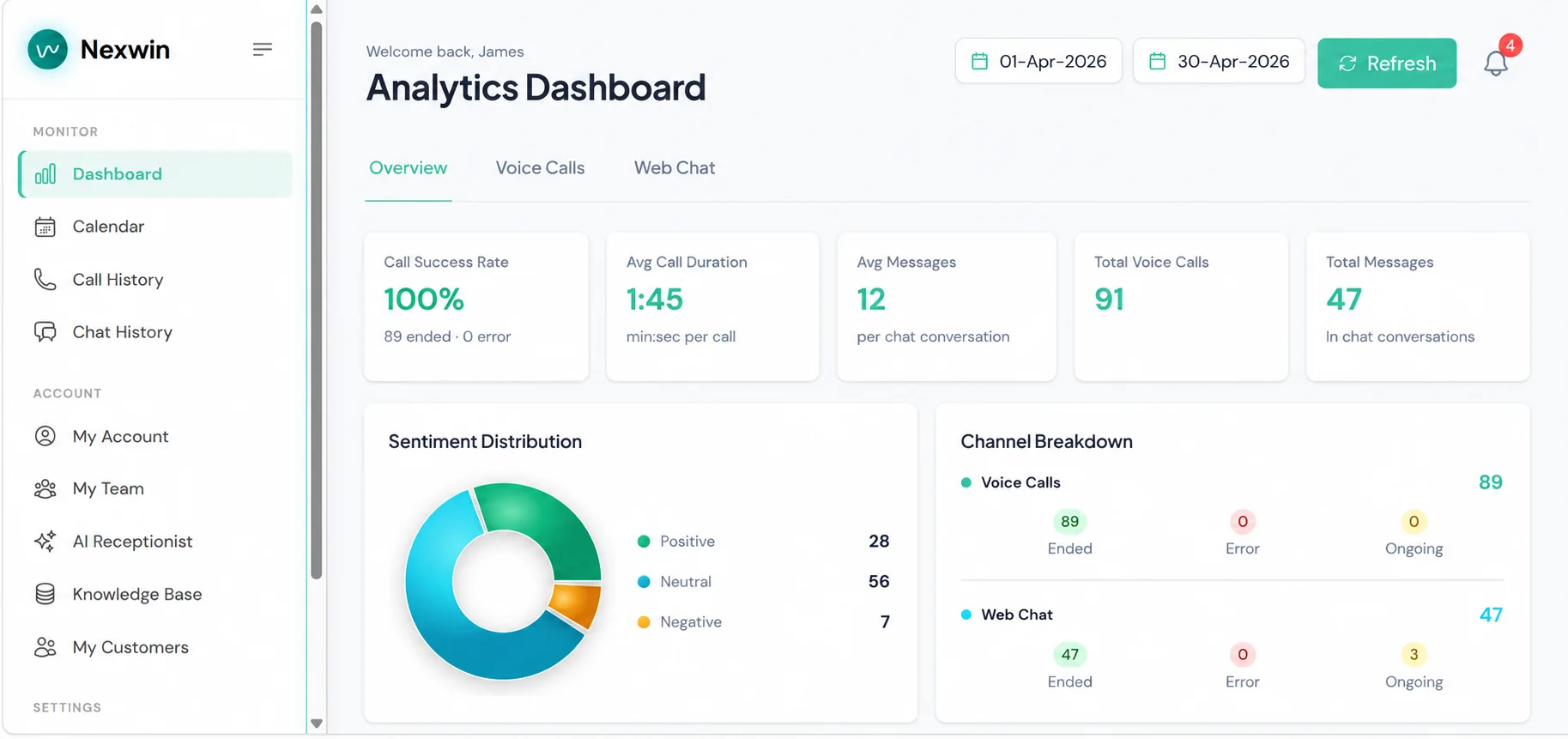
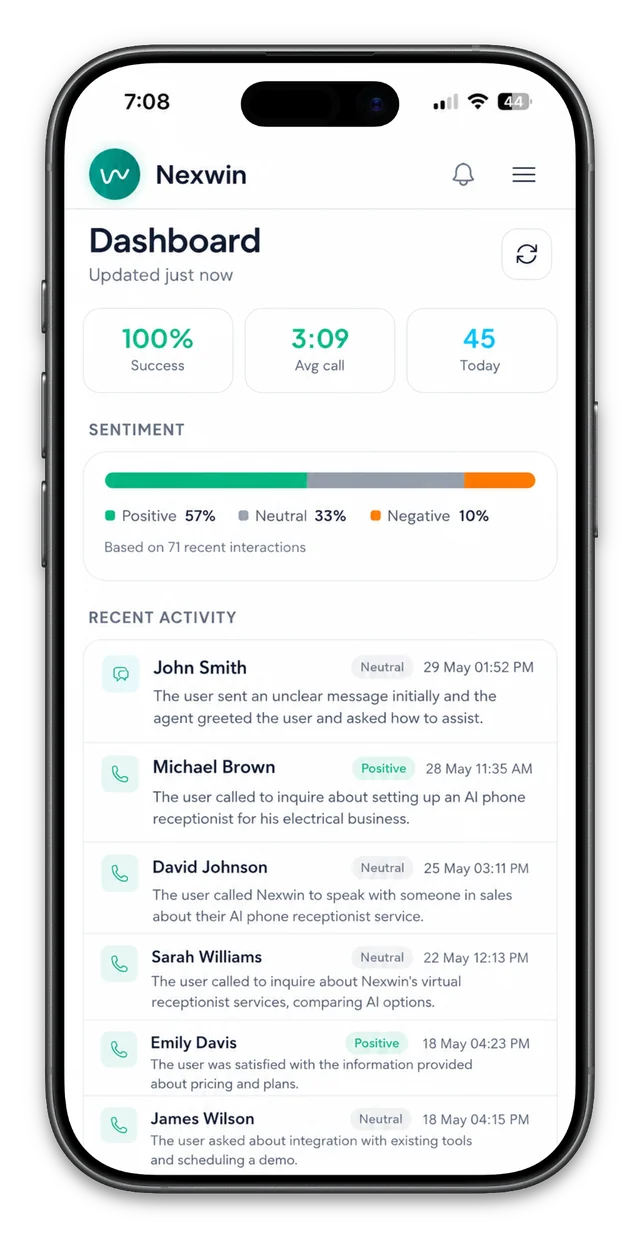
Customer example · Melbourne Repairs
Proof from a Working Appliance-Repair Workflow
Melbourne Repairs has used Nexwin AI for five months. Its configured workflow answers common questions, collects appliance and reported fault details, checks the supplied address against its service area, offers suitable times, creates calendar bookings and sends branded confirmations.
About 60
calls per month
About 40
bookings per month
4–5
reschedules per month
3–5
outside-area enquiries per month
These approximate figures were supplied by Melbourne Repairs and have not been independently audited by Nexwin. They describe this customer's workflow and do not imply that every customer will achieve the same booking rate or result.
“We've been using Nexwin AI for the past five months now and honestly it feels like I've got my own phone receptionist. Does exactly what a real person would do - answers general questions, explains the diagnostic fees, books in the jobs.”
Read the Melbourne Repairs customer case study for the complete intake, booking and returning-caller example.
Hear a Representative Configured Call
This unscripted recording demonstrates Nexwin AI answering as an electrical business, checking configured service-area information, collecting caller details and offering an available booking window. It is a product demonstration, not a Melbourne Repairs call or a promise of identical performance.
What Nexwin AI Receptionist Can Handle for Tradies
A useful tradie receptionist does more than take a name and number. Nexwin AI can separate a new enquiry from an existing-customer call, ask the questions your team has approved and follow the next step configured for that call type.
| Caller need | Configured intake | Possible next step |
|---|---|---|
| New repair or service enquiry | Name, callback number, service, issue in the caller's words, address and preferred timing | Check coverage and availability, then book or request review |
| Quote or project enquiry | Project type, location, stage, timing and access notes | Capture for a person to scope and quote |
| Existing booking | Booking reference or approved matching details and requested change | Reschedule under the customer's rules or hand off |
| After-hours or priority wording | Location, contact details and the caller's description | Try the nominated person or record a message |
The caller may omit details or describe the issue inaccurately, so your team should review the record before accepting work or travelling to site. Nexwin AI does not diagnose faults, assess hazards, prepare quotes or decide whether a job is commercially or technically suitable.
You choose the services, questions, hours, eligible locations, booking rules and human destinations. That makes the setup useful to both a solo operator and a larger mobile-service team, provided each path is tested with real caller wording before launch.
From Ringing Phone to Booked Job
This five-step flow shows how AI phone answering for tradies can turn a routed call into a useful operational next step. It depends on the caller's answers, your configured rules and the availability of connected phone and calendar services.
- Receive the routed call. You keep your advertised number and use call forwarding through your telco to send selected unanswered, after-hours or other calls to Nexwin AI.
- Identify why the person is calling. The conversation separates a new job, quote request, existing booking, general question or call that matches a configured human-handoff rule.
- Collect job and address details. Nexwin AI asks for the approved fields, such as the service required, caller's description, site address, contact number, timing and access notes.
- Check service area and availability. The supplied location is compared with your configured coverage. Eligible calls can be offered suitable times from supported connected-calendar availability.
- Book or hand off. A suitable time successfully written to the connected calendar is a confirmed calendar booking. If a person must check scope, location or timing, Nexwin AI records a booking request awaiting human review instead. A configured transfer can be attempted when the call needs your team.
The distinction matters: a request is not a confirmed job. Nexwin AI also does not perform a safety assessment, diagnose the problem, quote the work, select a technician or dispatch anyone. Those decisions stay with the trade business and appropriately qualified people.
Service Areas, Calendar Booking and Rescheduling
Nexwin AI can compare an address supplied by the caller with states, councils, suburbs, postcodes or a selected map area configured by the business. An in-area match can continue to supported availability. An outside-area enquiry can receive an approved explanation or be recorded for review. Unclear spellings, new developments and boundary addresses should follow an exception path.
Service-area checking is a routing aid, not a guarantee that the business will accept a job. Travel time, licensing, job type, parts, staffing and commercial judgement may still affect the decision. Review coverage as your operating area changes and test common suburb names, abbreviations and border cases.
Booking rules determine which services, locations, days, hours and durations are eligible. When Nexwin AI successfully writes the agreed time into supported connected-calendar availability, the workflow can send the configured confirmation. When a call needs a scope check or the calendar cannot confirm a time, it should be recorded as a request for human review.
How Melbourne Repairs Handles Returning Callers
Melbourne Repairs chose a rule under which a call from the phone number attached to an existing booking requires no extra verification question. If the caller uses a different number, they provide the customer name and original booking date and time. After a match, Nexwin AI can use available customer and job context and reschedule against configured calendar availability.
Those are Melbourne Repairs' chosen business rules, not a security recommendation for every customer. Each Nexwin customer chooses and approves the verification rules appropriate to its business, customers and risk. Learn more about caller memory and recognition, and test same-number and different-number calls before relying on a rescheduling flow.
ServiceM8 and API Integrations Completed by the Nexwin Team
You do not need to build an integration yourself. Nexwin's technical support team handles approved integrations for individual customers. For a trade business, ServiceM8 is the most relevant example: supported customer, job and scheduling steps can be connected to the configured call workflow.
Other platforms may be integrated when they provide a suitable API and the permissions needed for the required read and write actions. Compatibility is assessed before work begins; the existence of an API does not guarantee that every workflow or third-party feature will be available.
Once the required API access keys and permissions are available, the team typically completes a standard approved integration within five business days. There is no separate Nexwin integration fee. The customer supplies the required API access keys and remains responsible for any third-party account, subscription or API charges. Custom CRM and software integration is currently a Pro-plan inclusion.
See the conditions and supported examples on the ServiceM8 and custom API integrations page, then bring the exact fields and actions you need to a workflow demo.
When a Person Must Take Over
You decide which caller situations and wording should trigger a person. A configured handoff might cover safety-related language, a complaint, warranty work, an unclear address, a complex quote or an existing job that should not be changed automatically.
Nexwin AI can try the mobile or team number you nominate. A transfer still depends on that destination answering and on the relevant phone and network services, so every handoff needs a fallback. That may be an approved message, voicemail, captured details or a record flagged for follow-up.
Keep a direct path to emergency services or a qualified person for safety-critical situations. Nexwin AI does not assess danger, diagnose a fault, give trade or safety advice, maintain an on-call roster or guarantee that a transfer will complete. The business remains responsible for keeping destination numbers current and for reviewing incomplete, uncertain and failed-call paths.
During the trial, test what happens when the person is busy, the caller hangs up, the calendar is unavailable or the description does not match a known category. The fallback should be just as deliberate as the ideal booking path.
Configured Examples for Five Trade Businesses
The same core workflow changes with the service, location and decision rules of each business. These examples are intake configurations, not technical assessments or guaranteed results.
Plumbers
Collect the address, affected fixture or service, the issue in the caller's words, timing and whether the enquiry concerns a repair, maintenance or quote. Priority wording can try the nominated person; a plumber still diagnoses the fault and gives safety advice.
Electricians
Separate installation and quote requests from wording configured for priority handoff. Record whether the site is residential or commercial, the location and the caller's description. Electrical assessment, hazard advice and attendance decisions remain with a qualified person.
HVAC and Air Conditioning
Ask for the system type, service address, reported symptoms, preferred time and whether the call concerns maintenance, repair or installation. Suitable calls can proceed to availability; Nexwin AI does not dispatch a technician or promise attendance.
Appliance Repairs
Collect the appliance, model if known, reported problem, address and contact details. The Melbourne Repairs example shows how an approved diagnostic-fee explanation, service-area check, calendar booking and branded confirmation can form one configured path.
Builders
Capture project type, suburb, stage, expected timing and the best contact. New-project enquiries can enter a follow-up queue while existing-client matters follow a separate handoff. The builder decides fit, scope, site requirements and quotation.
Pricing, Trial Terms and Plan Fit
Nexwin AI Receptionist currently starts at $249/month + GST. The Business plan includes 600 call minutes per month, up to five simultaneous calls, a dedicated Australian phone number, Google Calendar booking and Nexwin AI Chatbot for normal business use under the Fair Use Policy. Extra minutes are currently $0.49 each.
The 7-day trial includes 100 call minutes. A card is required at sign-up. There is no charge until the trial ends; your selected paid plan starts on day 8 unless cancelled. Check plans, minutes and current pricing before choosing, because plan inclusions and terms may change.
Start with the self-serve trial if you have one main call path, a clear service area and straightforward calendar rules. Book a workflow demo first if you use ServiceM8 or another platform, have multiple call types or team destinations, or need detailed returning-caller, after-hours and fallback rules mapped before setup.
Judge fit using your actual calls and operating process. Nexwin AI does not guarantee bookings, recovered revenue, savings or payback. Test routine, ambiguous, outside-area and human-handoff calls, then review the records with the people responsible for follow-up.
Frequently Asked Questions
Can I Keep My Existing Business Number?
Yes. You can keep advertising your existing business number and use call forwarding through your telco to route selected calls to Nexwin AI. The available forwarding options, charges and behaviour depend on your carrier, so test unanswered, busy and after-hours calls before relying on the setup.
Can Nexwin AI Create Jobs in ServiceM8?
Nexwin AI can connect supported customer, job and scheduling steps to a ServiceM8 workflow through an approved Pro-plan integration. The technical team first confirms that the required API actions and permissions are available. It does not claim that every ServiceM8 feature or workflow is universally supported.
How Long Does an Integration Usually Take?
Once the required API access keys and permissions are available, Nexwin's technical support team typically completes a standard approved integration within five business days. More unusual requirements must be assessed first. The customer supplies the keys and maintains any third-party account, subscription and API access needed.
Can It Check Whether an Address Is in My Service Area?
Yes. Nexwin AI can compare the location supplied by a caller with configured states, councils, suburbs, postcodes or a selected map area. Clear matches can follow the relevant next step, while misspellings, boundary addresses and other uncertain results should be sent to your team for review.
Can It Book and Reschedule Jobs?
Nexwin AI can offer suitable times from supported connected-calendar availability and confirm a booking when the workflow successfully writes it to the calendar. Rescheduling depends on the identity-matching and change rules your business approves. Calls outside those rules should become a request for human review.
What Happens When a Call Needs a Person?
Nexwin AI can try the mobile or team number configured for that caller situation. If the person does not answer or the transfer service is unavailable, the workflow can use an approved fallback such as message capture, voicemail or a follow-up record. Transfers and response times are not guaranteed.
Test Nexwin AI with the Calls You Actually Receive
Hear the configured call example, try your own service areas and booking rules for seven days, or bring a more detailed ServiceM8, rescheduling or handoff workflow to a 15-minute demo.
7 days · 100 call minutes included · card required · no charge until the trial ends; selected paid plan starts on day 8 unless cancelled.
See the broader AI receptionist for Australian businesses.