AI Chatbot Australia for Business Websites
Nexwin AI Chatbot is website chat software for Australian service businesses. It uses the business information you approve to answer visitor questions, capture enquiry details and run configured booking flows. AI can make mistakes, so review its knowledge and provide a human fallback for uncertain or sensitive enquiries.
The website chat widget gives visitors a way to ask about services, pricing, hours or next steps without replacing your phone number, contact form or team. Use the live Nexwin widget in the corner of this page to test the customer experience, then compare its replies with the information published by Nexwin.
This page covers the Australian commercial fit of the product. For the generic product explanation and demonstration, see how Nexwin AI Chatbot works.
Seven-day trial. Card required. No charge during the trial; the selected plan starts after the trial unless cancelled.
What Australian businesses should evaluate
A business chatbot in Australia should be assessed against the job it will perform on your website, not a generic feature checklist. Start with the questions visitors actually ask and the information your team is authorised to publish.
- Knowledge control: can the business review source information, correct it and retest answers before publishing?
- Website fit: does the AI chat widget Australia experience work with the site platform, branding, mobile layout and existing consent notices?
- Useful outcomes: can it capture the enquiry fields your team needs or run the configured booking path without presenting a request as a confirmed booking?
- Fallback: is there a clear phone, callback or contact-form path when the answer is uncertain or a person should decide?
- Data handling and terms: have you reviewed the current privacy policy, overseas-processing disclosure and Nexwin AI Chatbot Fair Use Policy?
- Price and support: do the current plan, trial terms and supported setup suit the volume and risk of your enquiries?
How Nexwin handles a website enquiry
Nexwin adds automated website chat to an existing business site. A typical configured enquiry moves through four practical steps:
- The visitor asks a question. The widget accepts natural-language webpage chat rather than requiring the visitor to choose from a fixed menu.
- Nexwin checks the approved business knowledge. It uses the source information and instructions the business has reviewed for the website-chat workflow.
- The conversation takes the configured next step. That may be an approved answer, collection of selected contact and job details, a booking flow, or a human fallback.
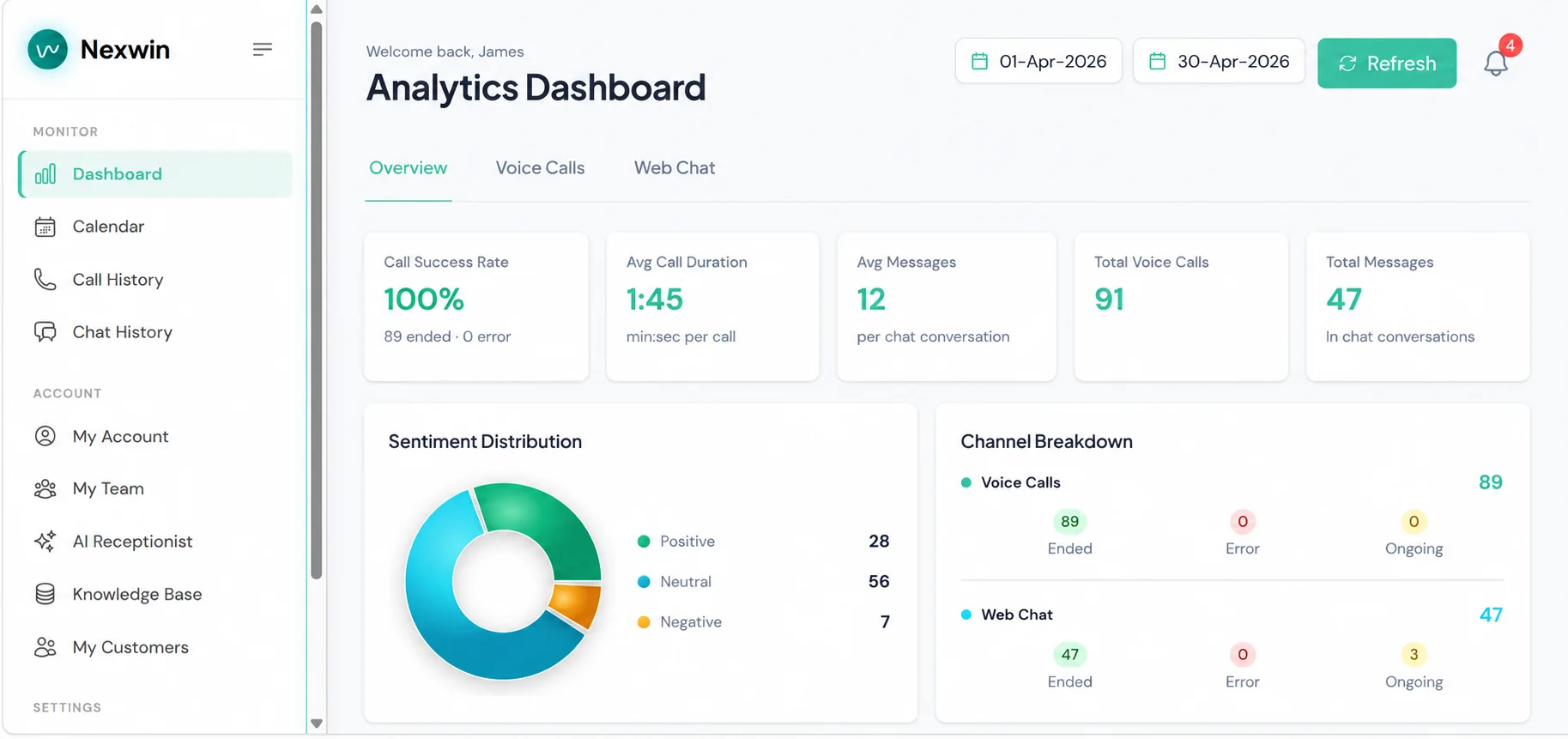
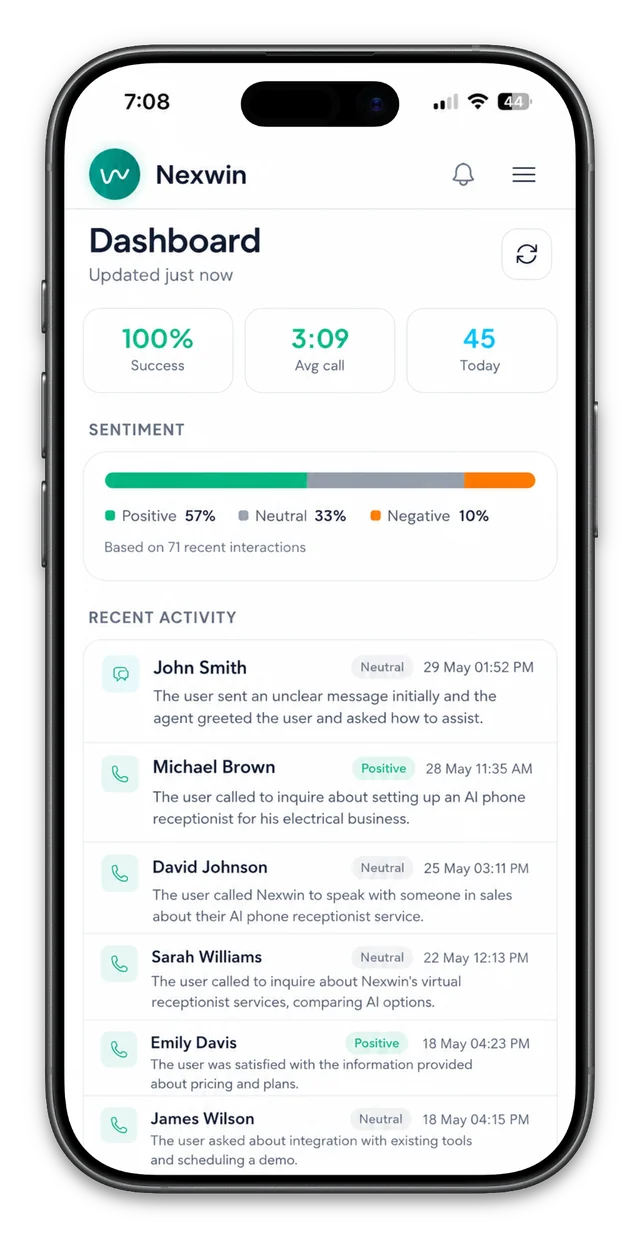
- The business reviews the record. Chat history and the captured details are available for follow-up; staff remain responsible for exceptions and sensitive decisions.
Try the live widget and annotate the result
Ask the Nexwin widget a question about pricing or setup. Check the answer against this website, note which details it requests and test an uncertain question to see the fallback. A live test demonstrates the current widget; it does not prove how a separately configured business chatbot will answer.
Approved answers and human fallback
Knowledge-bound answers and a configured fallback are more useful than an assurance that an AI system cannot be wrong. Nexwin can use approved website content and configured instructions, but AI can still misunderstand a question, miss context or produce an incorrect response.
Before launch, review imported services, prices, trading hours, service areas and policies. Add important exceptions in plain language, then test common questions, unusual wording and cases that should go to a person. Repeat that review whenever the business changes its services, prices, hours or booking rules. The dashboard lets the business manage approved chatbot knowledge.
A fallback can invite the visitor to call, leave selected details for a callback or use another contact channel. Sensitive, urgent, unclear or judgement-based enquiries should follow the human path the business has configured.
Lead capture and configured booking workflows
A lead-capture chatbot can ask for the fields needed for follow-up, such as a name, contact method, service needed, suburb, preferred time and a short description. Those are captured enquiry details; they are not a promise that the visitor is qualified, will buy or has become a confirmed appointment.
For a booking workflow, the business chooses eligible services, hours and rules. Nexwin can use supported availability to offer a suitable next step and attempt the configured booking action. A booking request, proposed time or failed write must not be treated as a confirmed booking. The business should test conflicts, unavailable times and confirmation messages, then monitor completed records after launch.
The purpose is to give staff a clearer starting point for follow-up while keeping the business in control of eligibility and confirmation.
Installation and website fit
Nexwin supplies an embed script for the website. Installation depends on the platform, template and permissions available; a site owner may be able to add the supplied snippet directly, while another business may need its developer or website provider.
Before publishing, test the website chat widget on desktop and mobile. Check that it loads on the intended pages, does not cover navigation or important controls, works with keyboard and screen-reader testing appropriate to your site, and fits your consent and privacy notices. Also check page performance with the widget enabled and confirm that the human fallback remains easy to find. No single embed can guarantee universal accessibility, compatibility or performance across every website.
Pre-launch test checklist
Use a short, recorded test set before making automated website chat available to visitors. Keep the expected answer beside each question so changes can be checked later.
- Ask about a current service, price, trading hour and service area, then compare each reply with the approved source.
- Use misspellings and conversational Australian wording to check whether the same intent is understood.
- Submit an enquiry and confirm that only the configured fields are requested, stored and available to the team.
- Test an eligible booking, an unavailable time and an ineligible request; verify the difference between a request and confirmation.
- Ask an unknown, sensitive and urgent question, then confirm the intended human fallback is offered.
- Repeat the checks on mobile and desktop, including keyboard navigation, visible consent information and the contact alternative.
Record the date, configuration and result. Retest after material knowledge, website or workflow changes rather than assuming an earlier pass still applies.
Website chatbot cost in Australia
Standalone Nexwin AI Chatbot is currently $129/month +GST. The published plan includes unlimited chat messages for normal business use, subject to the Fair Use Policy, with no per-message overage charges. Nexwin AI Chatbot is also included at no additional subscription charge with eligible paid Nexwin AI Receptionist plans.
The seven-day trial requires a valid payment method. No charge is made during the trial, and the selected paid plan starts automatically after it ends unless cancelled beforehand. Pricing and plan inclusions can change, so use website chatbot pricing in Australia as the current source and read the linked billing and fair-use terms before starting.
AI chatbot vs staffed live chat vs contact form
| Channel | Best fit | Enquiry handling | Human involvement |
|---|---|---|---|
| Nexwin automated website chat | Repeatable questions, detail capture and configured flows | Can respond during supported availability using approved knowledge | Review, exceptions, sensitive enquiries and fallback |
| Staffed live chat | Nuanced conversations needing a person | Depends on roster, workload and staff access | A team member handles each live conversation |
| Contact form | Simple asynchronous messages | Records submitted fields for later review | Staff read, assess and reply after submission |
Many Australian service businesses keep all three: the chatbot for repeatable website enquiries, staffed channels for judgement and a form as a familiar alternative.
Phone plus website chat
Website visitors do not all choose the same channel. Nexwin AI Chatbot can handle approved website questions and capture enquiry details, while AI phone receptionist Australia covers calls routed to Nexwin. When both are configured, review the shared business information and test each channel separately.
Trade businesses can also review phone and website enquiry workflows for tradies without turning this page into an industry-specific guide.
AI chatbot Australia FAQs
How do I add Nexwin AI Chatbot to a website?
Nexwin provides an embed script for the site. Installation details depend on the website platform and permissions. Test loading, mobile layout, accessibility, consent notices and the human fallback before publishing.
How does the chatbot learn about my business?
Nexwin uses the business knowledge you approve, such as website content and configured instructions. Review the imported information, add important details and update it when your services, hours or policies change.
How can it capture website enquiries?
The chatbot can ask for the contact and job details your workflow requires, answer approved questions and record the conversation for follow-up. You choose the fields and the situations that should involve your team.
Can it help visitors book appointments?
Nexwin can run configured booking flows using supported availability and your rules. The business controls which services, times and enquiry types are suitable for online booking.
How much does an AI chatbot cost in Australia?
Nexwin’s standalone chatbot is currently $129/month +GST under the published fair-use and trial terms. It is also included with eligible AI receptionist plans; check the pricing page for current inclusions.
Try Nexwin website chat
Open the live widget and test approved-answer, enquiry-capture and fallback questions, or start a trial to configure the workflow with your own business information.